Invalid Credentials when Calling a Web Service
Overview
For Atria to to successfully call a Web Service, a server connection must be setup using a valid credential. If the credential is invalid when the web service is called, you may see one of the following errors:
Error happened when getting offering from web service [Web Service] of site [Site]
Unable to connect to server ‘[Server]’ to call its web service.
Failed to connect to the web service.
Error:Exception of type
'Atria.Client.Rest.RequestFailedException' was thrown.
This can be resolved by retrieving the correct credential, ensuring it is configured within Atria, and amending the Server Connection details.
Diagnosis
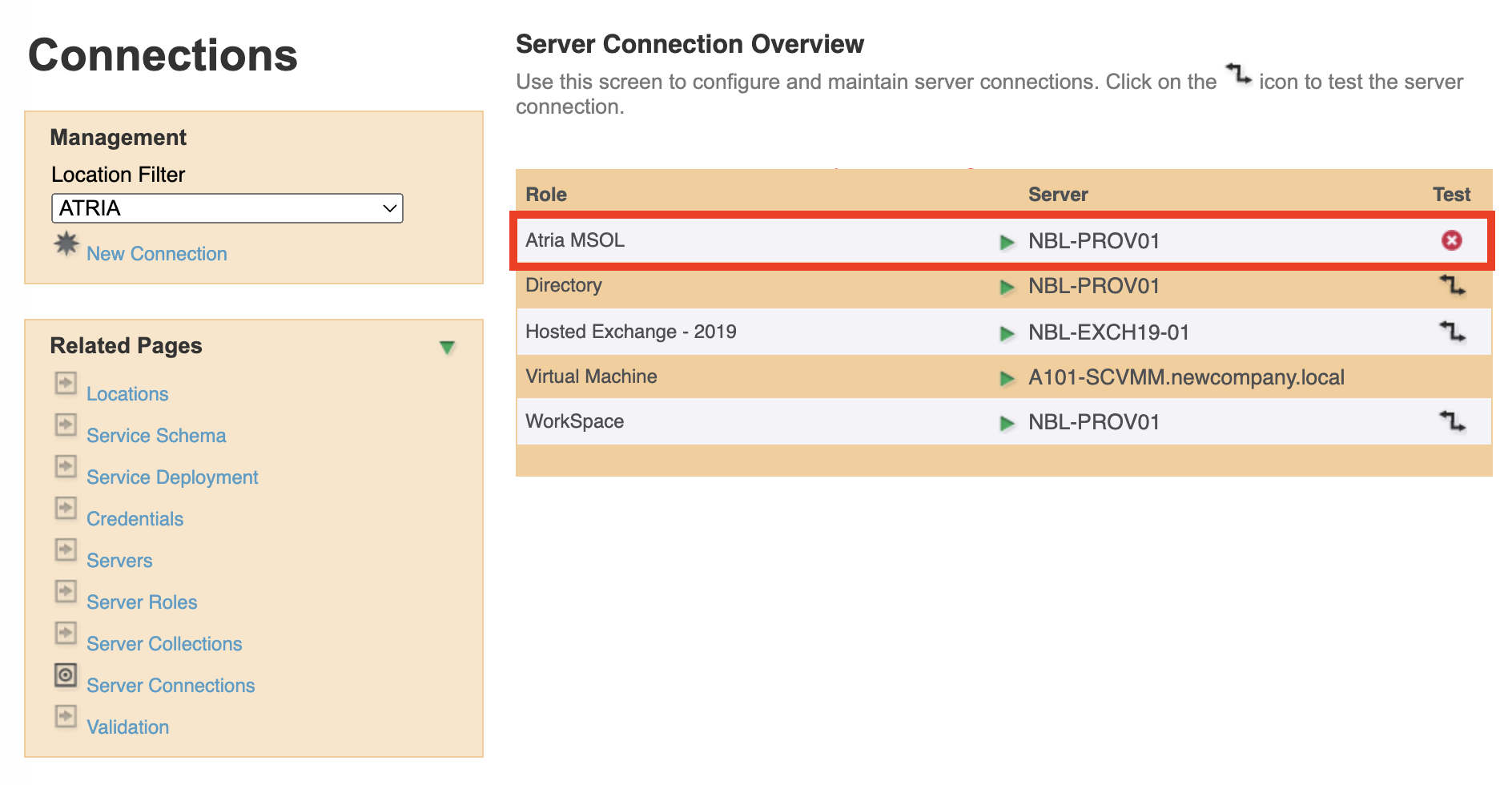
To confirm the issue is with the credential:
- Navigate to
Configuration > System Manager > Server Connections. - Click on the Test icon for the broken connection.
- The connection will fail as below:
Resolution
This section is currently work-in-progress as we update our documentation. If you experience any issues or require help, please contact us at support@getatria.com.